Evaluation work, from canvas to evidence-backed report.
Set up the evaluation canvas, choose the framework your assignment requires, map evidence to key questions, and keep report drafts connected to the source record.
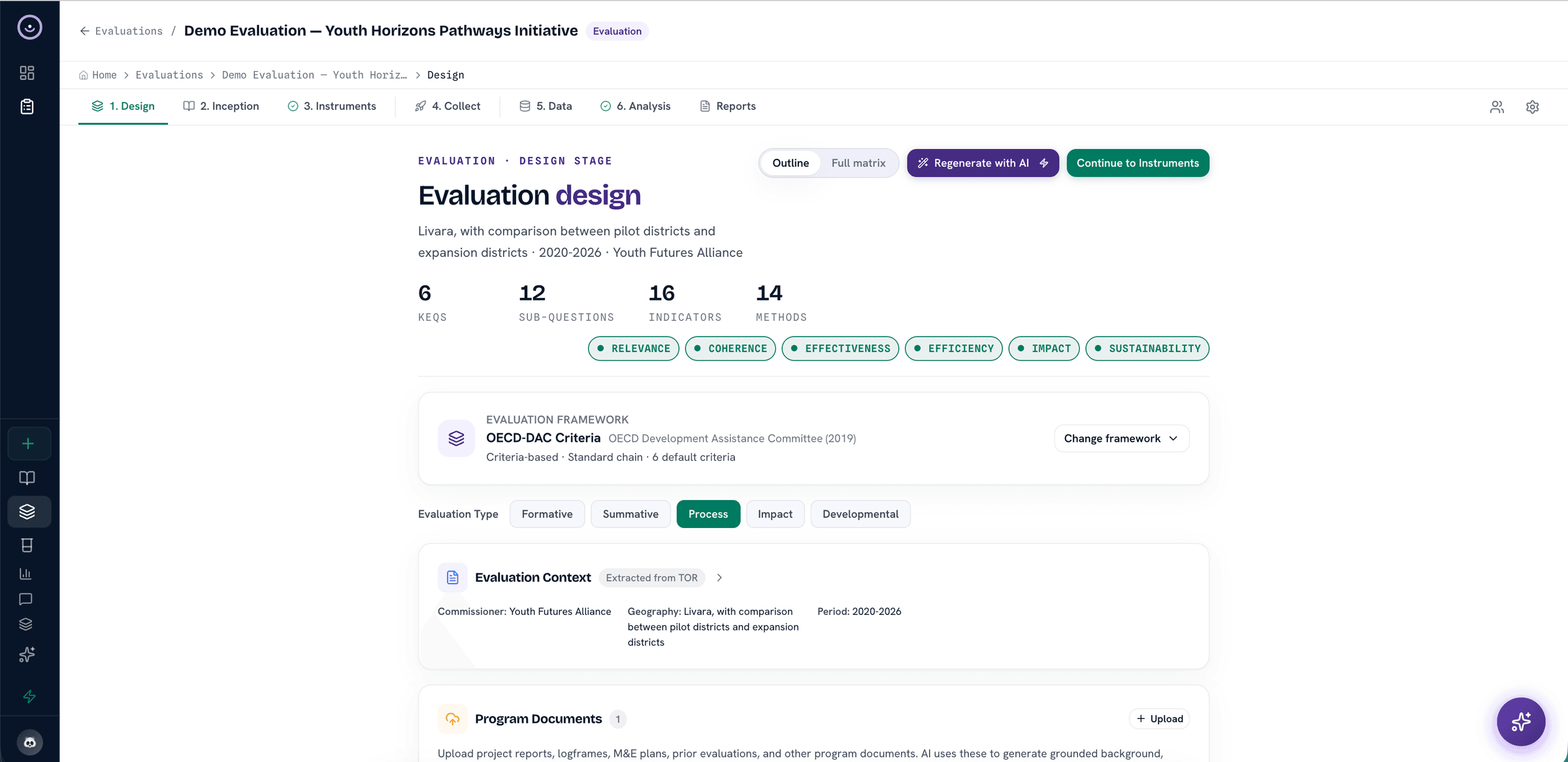
Use OECD-DAC when it fits, theory of change, or a custom framework, without forcing the assignment into one model
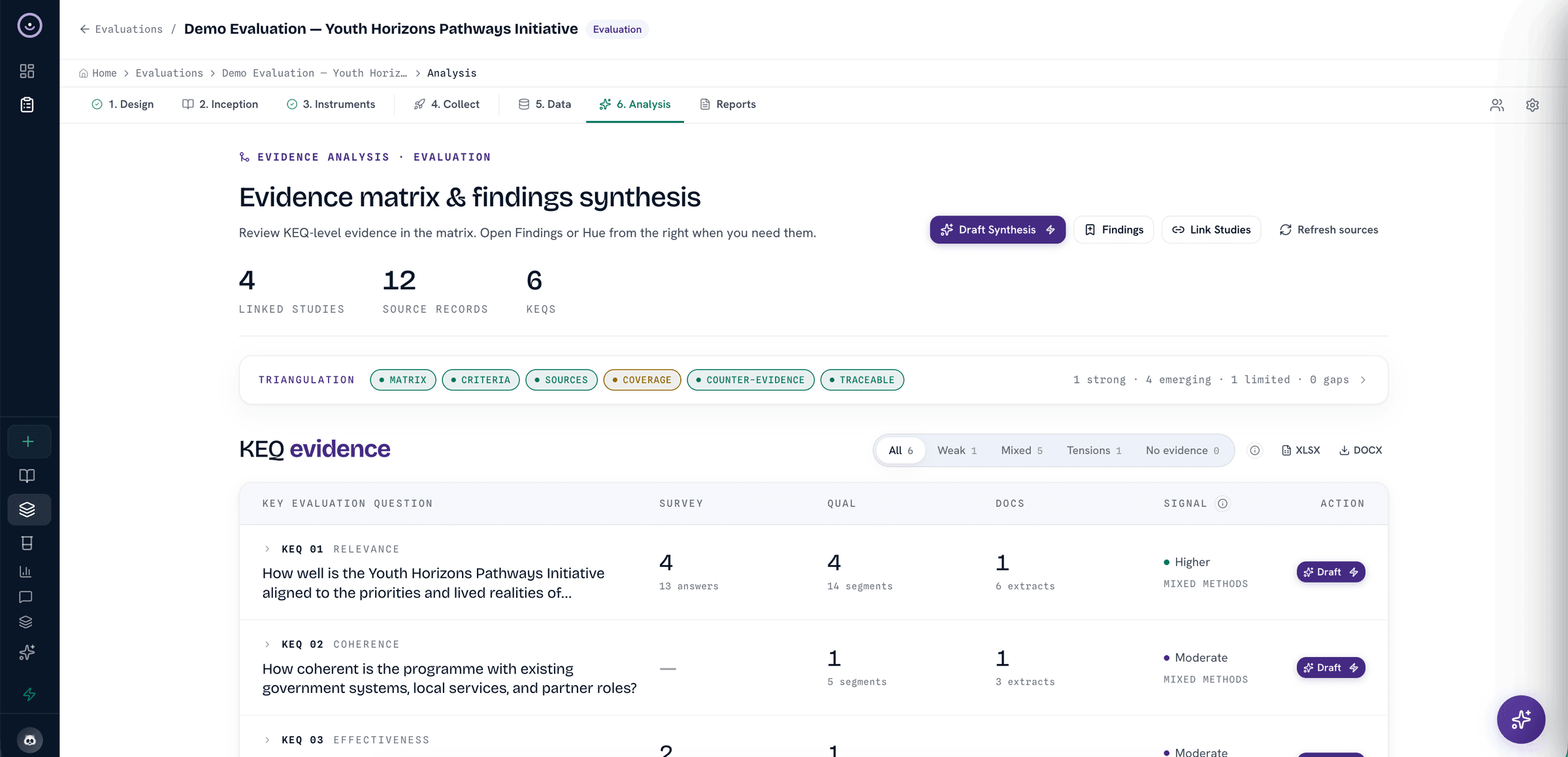
Map documents, transcripts, responses, excerpts, and reviewer notes to each key evaluation question
Draft findings, evidence matrices, quote banks, source indexes, and reviewer notes for handoff
How it works
From evaluation canvas to evidence-backed findings

Relevant tools
Tools for evaluation design and review
Evaluation Canvas
Set up key questions, criteria, themes, indicators, and evidence requirements before analysis begins.
View toolsEvidence Matrices
Each key evaluation question on its own row, answered by triangulating survey, qualitative, and document evidence, so every finding has a visible base.
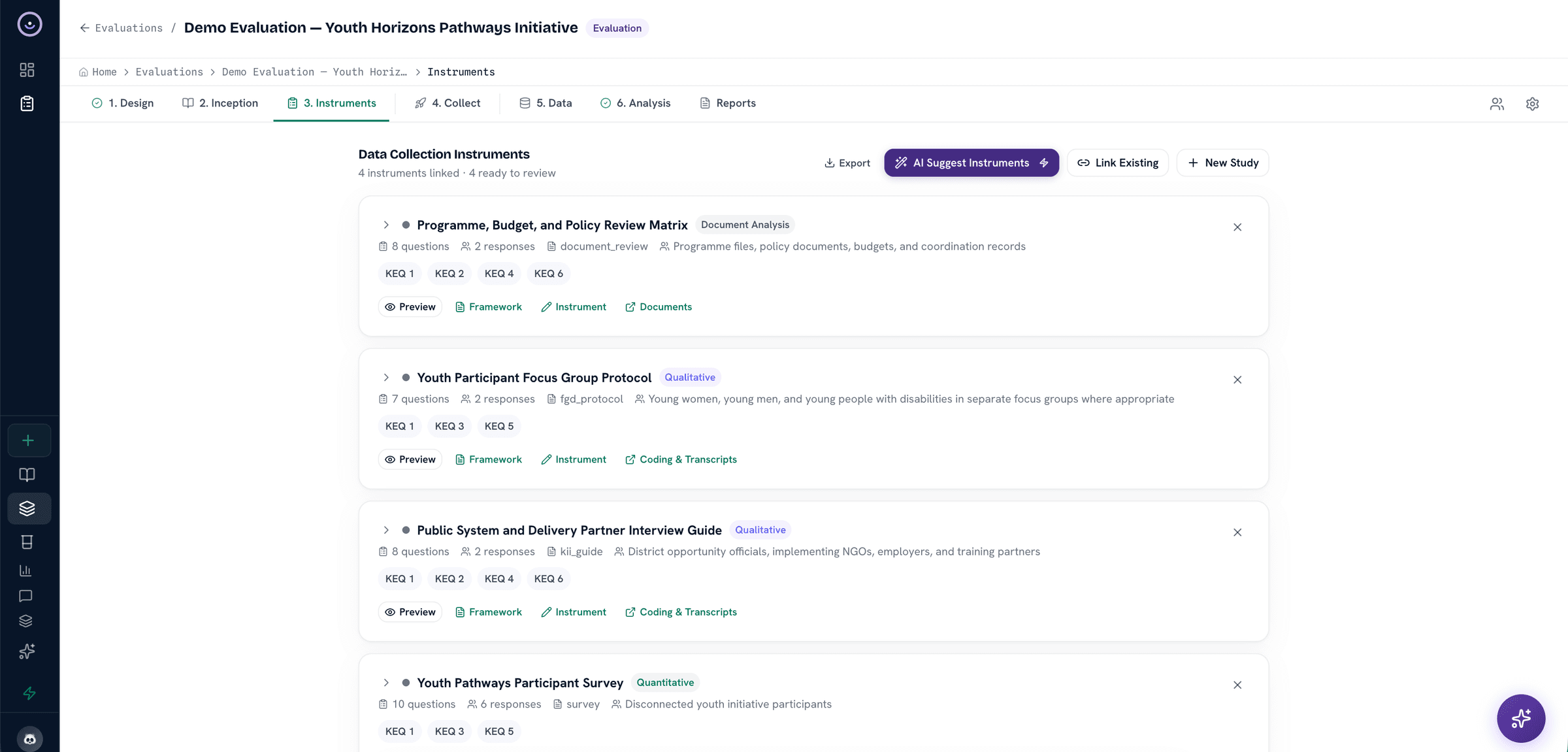
View toolsResponse & Source Review
Review structured responses, uploaded documents, transcripts, quality flags, and source metadata before synthesis.
View toolsReport Drafts
Draft evaluation report sections with evidence references that remain visible to reviewers.
View toolsFramework-Aware Synthesis
Use OECD-DAC when it fits, or another framework pattern from the system, without forcing every evaluation into one lens.
View toolsAudit Trail & Review
Keep coding, quality decisions, analysis steps, and report edits available for methodological review.
View toolsReviewable AI support
Where AI fits in the evaluation review process
Heurista uses AI where it can reduce research labor, but the useful unit is still a reviewable suggestion, query answer, or draft tied back to the study record.
- 01
Framework-aware synthesis
Hue organizes evidence around the evaluation canvas and framework you choose. Reviewers approve what moves into findings.
- 02
Evaluation queries in plain language
Ask questions across coded responses, transcripts, and uploaded documents. Answers show the responses, excerpts, or pages behind them where available.
- 03
Report drafts for review
Report drafts can be structured around your chosen framework — executive summary, methodology, results, and recommendations — with citations linked back to source.
Trust
Controls for evaluation data
Encryption in transit
TLS encryption in transit, with clear controls for account and study access.
AI data protection
Research data is handled under commercial API terms and is not used to train public AI models.
Full audit trails
Every action logged with timestamps, user identity, and change history.
Role-based access control
Granular permissions for team members, reviewers, and external stakeholders.
Security documentation
Privacy Policy, DPA, and data subject rights documentation are available for procurement review.
Research consent support
Consent screens, participant notices, and study-level controls support responsible fieldwork.
Next step
Findings that stand up to the funder’s reviewer
Move from field data to reviewed findings without rebuilding the chain between sources, codes, matrices, and report drafts.